
We're thrilled to announce the launch of our new Capacity Planning module, a powerful addition to the KaiNexus platform that changes how organizations manage their resources and optimize productivity. Understanding and allocating your team's capacity effectively has always been crucial, and this new module provides you with the clarity and control to do it well.
What is Capacity Planning?
The Capacity Planning module allows organizations to track and manage the availability of people or resources, assign commitments against that capacity, and visualize how work is distributed over time.
Why is Effective Capacity Planning Essential?
-
Drive Efficiency & Accountability: When commitments are captured and visible, there’s more clarity on who is doing what and when.
-
Improved Project Timelines: Accurately predict project completion dates by understanding available capacity, leading to more realistic deadlines and fewer delays.
-
Smarter Decision-Making: Gain data-driven insights into your organization's capabilities, enabling smarter strategic choices about resource allocation and future investments.
-
Reduced Burnout or Delays: Prevent over-committing individuals and avoid assigning more work when a person is already fully booked.
-
Greater Flexibility: Respond quickly to changing demands and priorities with a clear understanding of your available capacity.
Key Features of the KaiNexus Capacity Planning Module
Our new module is built with the user in mind, offering a suite of intuitive features that make capacity planning straightforward and actionable:
Define Capacity Metrics
Define what “capacity” means for your teams. Whether you’re tracking a specific number of hours per week or simply the number of projects your team is involved in at any given time, Capacity Categories make it easy to standardize how work is measured across your organization. This foundation ensures every commitment aligns with real, trackable availability.
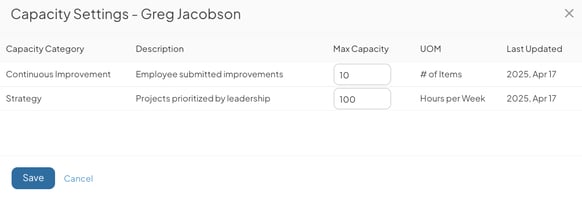
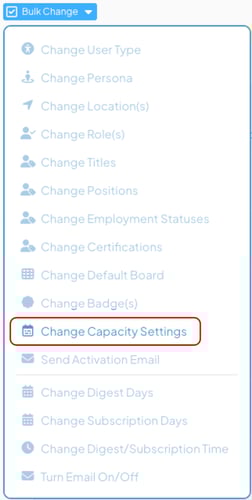
Easily manage Teams’ Capacity settings
Effortlessly establish a maximum capacity for every user on your team with a single, simple action. This function allows you to quickly set a consistent standard across your team or define a default for your organization. Once set, this default capacity can still be adjusted on an individual basis to accommodate the specific needs of each user.
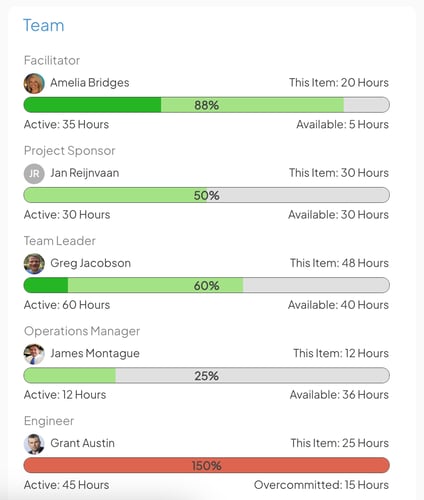
Capacity Planning Panel on Templates
Instantly assess your team's current capacity and workload with this panel. Use it to gauge user capacity levels relative to the project they are assigned. From here, users can get a more detailed view, seeing a schedule of their individual and the team's commitments throughout the project's entire lifecycle.
Capacity Schedule View for Items
Utilize the capacity schedule view to effectively manage your team's time and commitments. This feature allows you to quickly identify team members with available capacity for current projects. By viewing existing commitments, you can strategically schedule new work, avoiding over-allocation and ensuring a balanced workload. Furthermore, you can proactively plan future commitments, which will automatically factor into your team's capacity as the dates approach.
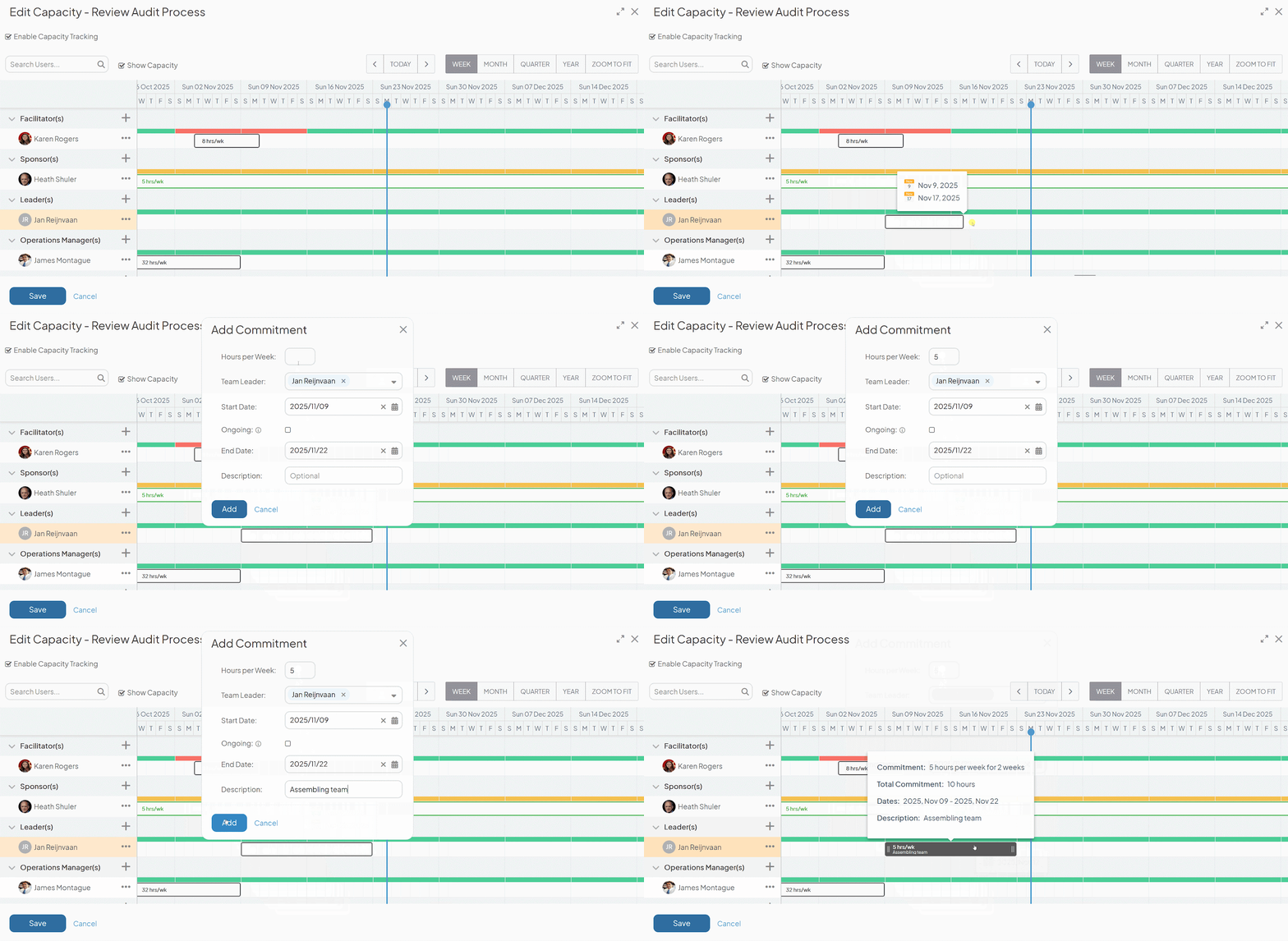
Placeholder Commitments for Resource Planning
To accurately plan the required resource allocation for your projects, utilize placeholder commitments in the initial stages of project management. These placeholders can be assigned to specific users once they become available.

Capacity Schedule View for Users
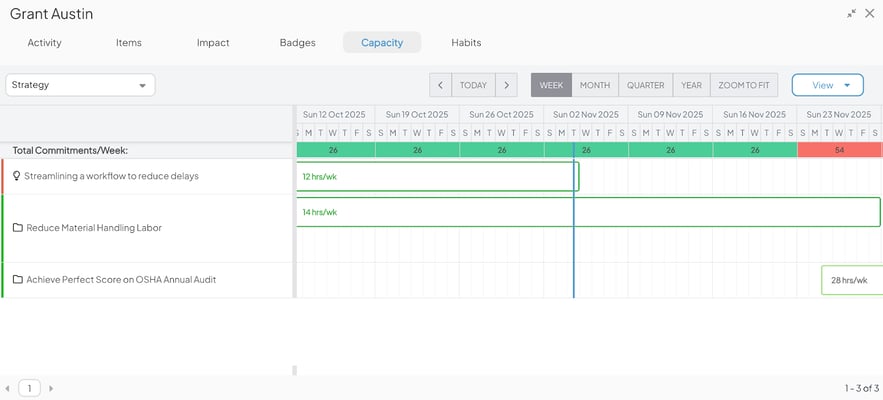
Centrally track and manage each team member's weekly commitments across all projects and initiatives. Easily identify when users are overcommitted by seeing their total weekly commitment amount in a single view.
Filtering, List Columns, and Quick Actions
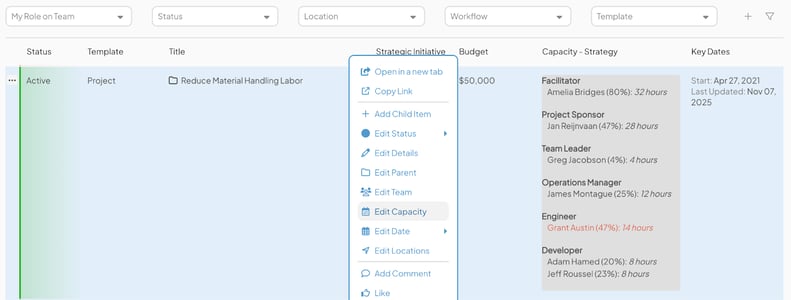
Efficiently filter projects and initiatives your team is focused on using powerful item filters. You can filter by category, specific users, and commitment timeframes. The Capacity columns provide an immediate summary of current commitments for each item, eliminating the need to navigate deeper. To make necessary adjustments, you can quickly access the Capacity Schedule View directly from your list by selecting the column or choosing “Edit Capacity” from the list’s quick action menu.
Set Commitments on Items automatically
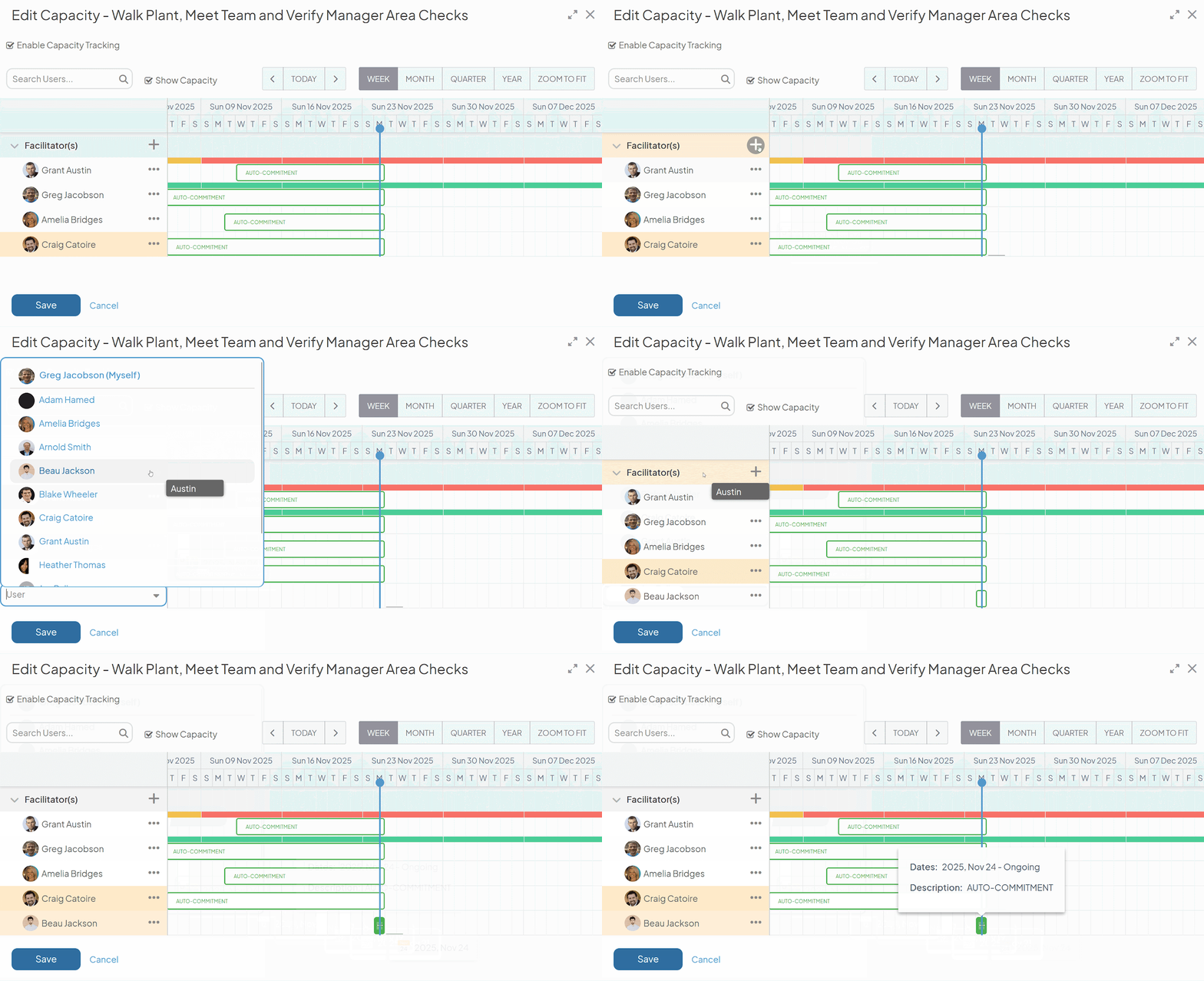
To streamline capacity planning, configure your template to automatically commit users to items when they are added to a project's team. This eliminates the need for users to manually manage their commitment on individual items. These automatic commitments will actively contribute toward capacity until the user is removed from the team or the project is finished.
How the Capacity Planning Module Transforms Your Operations
The KaiNexus Capacity Planning Module is your strategic advantage. By providing a clear and comprehensive view of your organizational capacity, you can:
-
Prioritize Initiatives More Effectively: Understand which projects can be realistically undertaken given your current resources and capabilities.
-
Identify Bottlenecks Before They Occur: Proactively address potential capacity shortages and reallocate resources as needed to optimize efficiency.
-
Improve Collaboration and Communication: Foster a shared understanding of team workloads and commitments.
-
Drive Continuous Improvement: Utilize capacity data to inform your improvement efforts, ensuring that changes result in sustainable and efficient resource utilization.
The new Capacity Planning Module will be a game-changer for organizations committed to continuous improvement. It helps you to make smarter decisions, optimize your resources, and ultimately, achieve your strategic goals with greater efficiency and less stress.
Ready to take control of your organization's capacity? Contact your dedicated Customer Success Manager or visit our website to learn more and schedule a demo of the new Capacity Planning Module!



.svg)



Add a Comment