
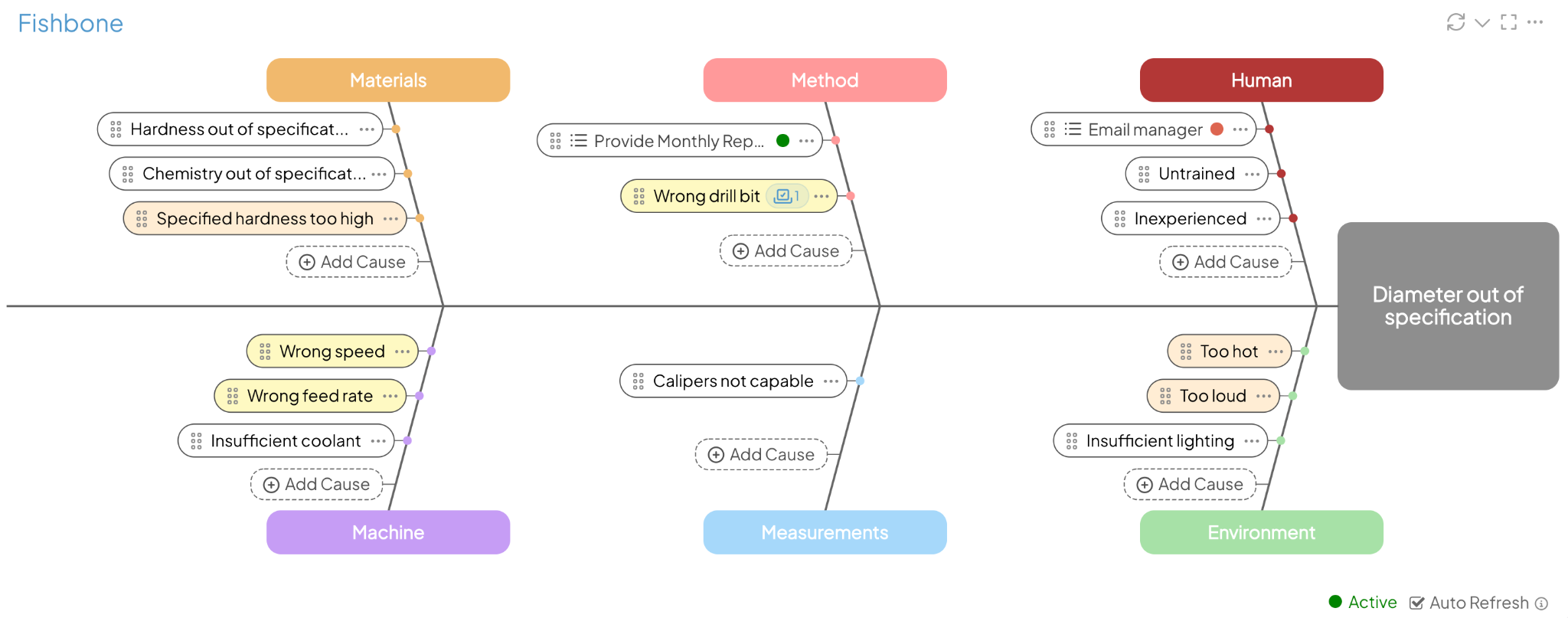
A Fishbone session can leave your team with more possible causes than it can investigate at once. The updates coming in KaiNexus 4.0 will help you choose where to start, turn that choice into a connected Item, and see where the work stands when the team meets again.
KaiNexus 4.0 is scheduled for Saturday, October 10, 2026. Here’s a closer look at what’s changing for Fishbone Diagrams.
Choose what to investigate first
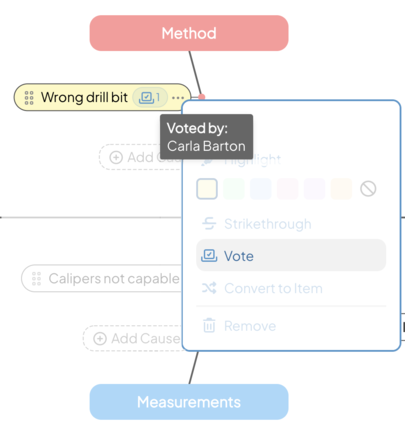
When several explanations look plausible, voting will let users who can edit the Item weigh in on which causes to investigate first. A facilitator can use that input to focus the next discussion.
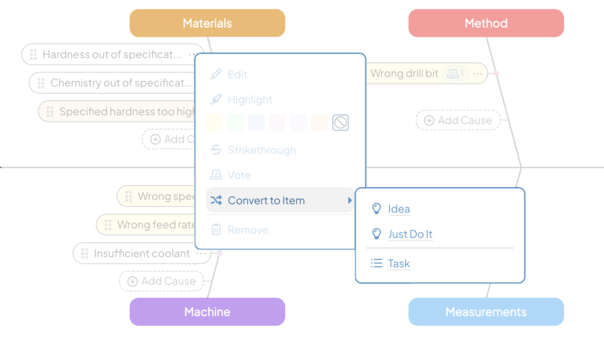
Turn the discussion into connected work
You’ll be able to convert a text cause into a new nested Item directly from the Fishbone. Its wording will become the Item title, keeping the investigation connected to the original analysis.
You’ll also be able to create a new Item while adding a cause. KaiNexus will automatically link it to the Fishbone and nest it under the current Item.
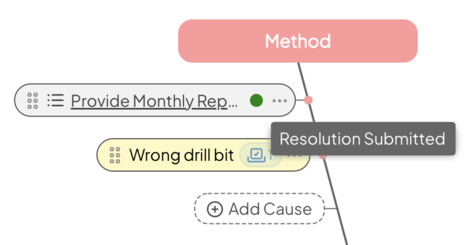
Pick up where the team left off
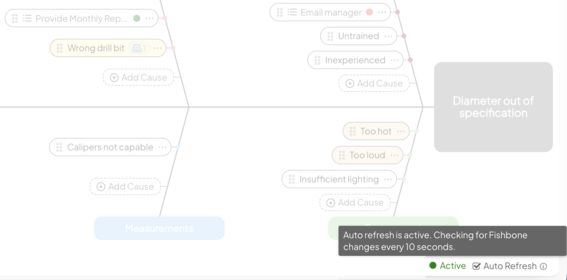
At the next review, Status indicators on the Fishbone will show where linked Items stand. Your team can scan the diagram and open the Items that need a closer look.
Keep the diagram current during the discussion
Auto Refresh will show colleagues’ changes without a browser refresh, so your team can work from an updated diagram as the discussion develops. Clearer action menus and drag-and-drop controls will make causes easier to move and edit.
Our Fishbone guide covers the approach, and our support article explains how Fishbone Diagrams work in KaiNexus. If Fishbone isn’t enabled on the Items your team uses, reach out to your Customer Success Manager about configuration.



.svg)



Add a Comment