
The winter season brings fresh focus, and so does our latest release! As we head into the colder months, KaiNexus 3.2.8 is here to help you stay sharp, organized, and ready to recognize great work across your organization. This release makes it easier than ever to celebrate excellence with Honor Roll, provides admins with more flexibility by allowing them to edit users anywhere on the platform, and enhances project management with safeguards against early completion and improved planning for Standard Work Items.
KaiNexus’ latest release, 3.2.8, is scheduled for Friday, December 5th.
Here are some of our favorite new features and enhancements from this release:
Recognizing exceptional work is easier than ever
Honor Roll is now front and center, making standout Items easy to spot at a glance. To highlight any Item, even a completed one, simply click the star icon in the Item’s header. This provides you with quick and clear visibility into the work that deserves recognition.
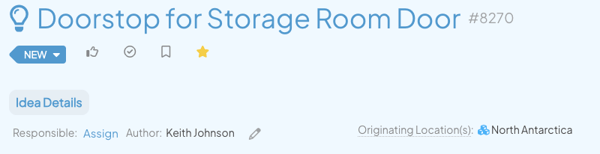
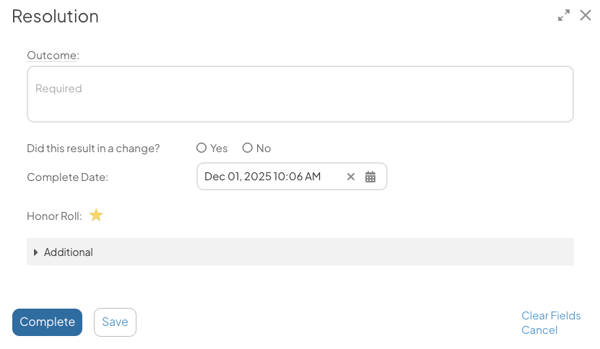
We’ve also made the star icon more visible in the Complete and Resolution windows, making it easier than ever to Honor Roll Items as you finish them.
Schedule work with greater precision and speed
Items in Standard Work Groups can be set to start on a specific date, giving you precise control over when each task begins. This eliminates the extra clicks and manual effort previously required to create tasks with defined start and end dates, allowing you to plan your work for the year with less friction and greater confidence.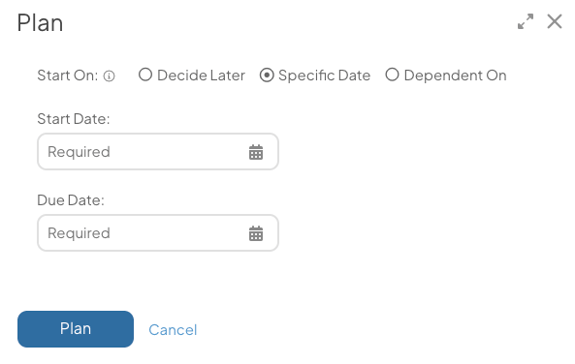
Stay on track with smarter project management
You can now require an Item’s directly nested children to be completed before the Item itself can be closed. This prevents projects from being completed prematurely, ensuring all nested Items are addressed and helping your team maintain more accurate progress.
Contact your Customer Success Manager to enable this feature on your Templates.
Edit users anywhere
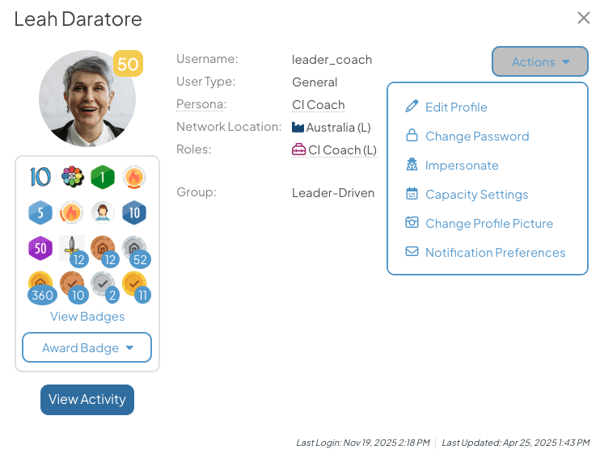
Editing users is now faster and more convenient. You can update a user directly from their profile picture anywhere in the platform, with options to impersonate, change passwords, or adjust notification settings. This eliminates the extra steps of navigating back to the People section, saving you time and reducing click friction.
Visualize unit Impacts in Bowling Reports
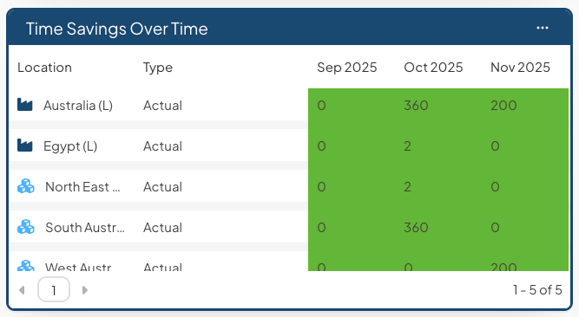
Impact Report data in Bowling View can now be displayed by unit as well as currency, making it easy to compare target, forecast, and actual metrics over time. Previously, these reports only showed financial figures. Now, other types of Impact, such as Time Savings, Products, and Resources, can be viewed in their specific unit, giving you a full view of your results.
See a Location's Level Type at a glance
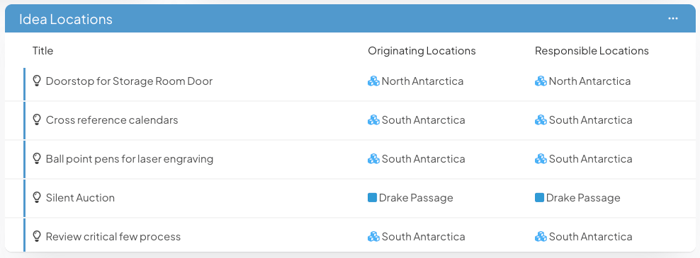
A Location’s Level Type icon now appears alongside its name in more areas of the platform, including Items, Item Lists, People Lists, and User Profiles. This makes it easier to associate a Location with its Level Type while also improving visual consistency across the platform.
An overview and complete release notes can be found at support.kainexus.com under "KaiNexus Updates" after the release goes live. In the meantime, if you have any questions or need assistance with configuring these new features, be sure to reach out to your KaiNexus Customer Success Manager.



.svg)



Add a Comment